
How to Build an FAQ Chatbot from Your Existing Documentation
Your documentation already holds the answers, but it was written to be read, not retrieved. This guide covers the conversion, from finding the real questions to reshaping documents so a retrieval system can actually use them.

Stan
@stan
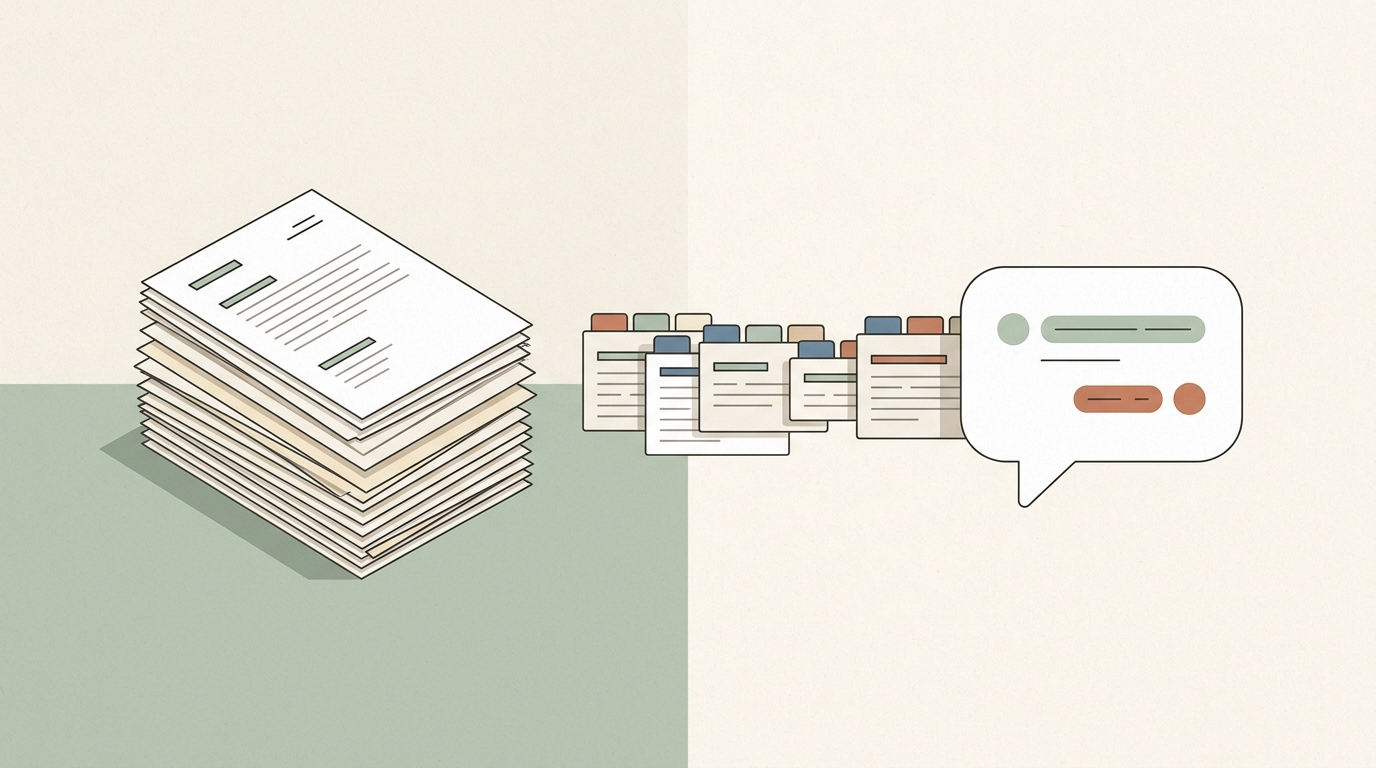
Almost every business that wants an FAQ chatbot already owns the raw material. There is a help center, a product manual, a policies page, an onboarding deck, a folder of PDFs that support keeps re-sending. The instinct is to point a chatbot platform at all of it, wait for the training bar to finish, and call the project done.
That instinct produces a working demo and a disappointing product. The reason is structural: documentation is written to be read by a human who arrived with context, while a retrieval system reads a few hundred words in isolation and has no context at all. Converting one into the other is a real piece of work, and it is mostly editorial rather than technical.
This guide walks through that conversion end to end: how to find the questions your chatbot will actually be asked, how to audit what your documentation genuinely answers, how to reshape documents so retrieval finds them, how to ingest them, and how to verify the result before customers see it.
What an FAQ Chatbot Actually Is
The term is a holdover from the decision-tree era, when an FAQ bot was a menu of buttons that mapped to canned replies. A modern one works differently. Your documents are split into passages, each passage is converted into a vector that encodes its meaning, and when a visitor asks a question the system embeds the question, finds the closest passages, and hands them to a language model with an instruction to answer using only that material. This is retrieval-augmented generation, and if the mechanics are new to you, the plain-English explanation of how RAG works is worth reading first.
Two consequences follow, and they shape everything below.
First, the bot never sees your documentation as a whole. It sees three to eight passages per question. A passage that only makes sense after reading the two sections above it will be retrieved alone and answered from alone.
Second, there is no separate FAQ to write. The questions live in the visitor's head and the answers live in your documents. Your job is to make sure that for every question worth answering, some passage in the corpus answers it in a self-contained way.
Step 1: Find the Questions Before You Touch the Documentation
Teams almost always start with the documents. Start with the questions instead, because the question list is what tells you which documents matter and what is missing.
Pull from four places:
- Support inbox and chat transcripts. Export the last 200 to 500 conversations and cluster them by intent, not by wording. "How do I cancel", "I want to stop my subscription", and "where is the cancel button" are one question.
- Site search logs. What people typed into your own search box is the purest signal of intent you own, and the queries that returned nothing are gold.
- Search console queries. The questions that bring strangers to your site are also the questions your bot will field from first-time visitors.
- Sales calls and onboarding notes. Pre-purchase questions rarely appear in support tickets, and they are the ones with revenue attached.
Then rank the clusters by volume. Support workloads follow a Pareto distribution with unusual reliability: roughly 20 percent of question types drive about 80 percent of contact volume, which means a small, well-covered set of answers does most of the work.
How Fast Documented Answers Cover Real Support Volume
Cumulative share of inbound contact volume covered as the most frequently asked question types are documented.
Modelled on the Pareto distribution reported in customer support operations by Nicereply, where roughly 20 percent of question types drive about 80 percent of contact volume, and on Zendesk knowledge base ticket benchmarks. The exact curve varies by business.
The practical read on that curve is that your first afternoon of work is worth more than the following month. Zendesk benchmark data makes the same point from the other direction: companies that maintain a knowledge base field 20 to 30 percent fewer tickets than companies without one, and a handful of well-written articles carries most of that effect. Build the chatbot around the head of the distribution first, then extend into the tail.
Step 2: Audit What Your Documentation Actually Answers
Now take the ranked question list and check each item against your documents. Three outcomes, each with a different fix.
| Audit outcome | What it looks like | Fix |
|---|---|---|
| Answered and current | A passage answers the question directly, and the facts are still true | Nothing. Ingest as is |
| Answered but stale | The passage answers it using last year's pricing, an old screenshot, or a renamed feature | Update before ingesting, or exclude |
| Answered but scattered | The answer requires stitching three sections of a long guide together | Rewrite as one self-contained passage |
| Not answered | Support answers it from memory or from a private runbook | Write it. This is your content queue |
| Answered twice, differently | Two documents disagree about the refund window | Delete one. A retriever cannot arbitrate |
The last row deserves emphasis because it is the failure mode teams never anticipate. A human reading two conflicting policy pages notices the conflict and asks someone. A retrieval system returns whichever passage happens to sit closer in vector space and the model states it with total confidence. Contradiction in the corpus is worse than absence, because absence produces "I do not know" while contradiction produces a wrong answer delivered fluently.
Stale content is nearly as dangerous. The knowledge base is where retrieval quality is won or lost, and practitioners are blunt about it: the leading cause of poor production performance is not the model, it is the knowledge base. Unmanaged content drift degrades a bot silently, with no error message and no alert, until someone notices customers being told the wrong thing.
Step 3: Reshape Documents So They Retrieve Well
This is the step that separates a good FAQ chatbot from a mediocre one, and it is pure editing.
Remove assumed context
Documentation is full of references that resolve only for a reader who is somewhere specific in the document. "As described above." "Follow the usual refund process." "Click Next to continue." Retrieved on its own, none of that means anything, and a model asked to answer from it will either refuse or invent the missing half.
The test is simple: read each passage as if it arrived with no title, no neighbours, and no navigation. If a fact is missing, put it in the passage. Repetition across documents is not a sin here. It is the point.
Make headings carry the question
Headings are indexed along with body text and they disproportionately influence what gets retrieved. A section called "Billing cycles" retrieves worse than one called "When am I charged, and can I change my billing date?" because the second one is close in meaning to what people actually type. Where your style guide allows it, phrase headings as questions.
Split by topic, not by document
A single 60-page PDF covering onboarding, billing, integrations, and security is four documents wearing one filename. Monolithic files dilute retrieval: the relevant sentence sits in a haystack of unrelated material, and passage boundaries fall in arbitrary places. Split by topic before uploading. The corresponding rule applies at the other extreme too, since a corpus of 40-word snippets loses the context that makes an answer usable.
Choose the right shape for the content
Not every answer wants the same format.
| Content type | Best shape | Why |
|---|---|---|
| Policy facts (refunds, SLAs, hours) | Short question-and-answer pair | Single fact, no narrative, retrieves cleanly |
| Procedures (how to do X) | Numbered steps with the goal restated in step zero | Steps retrieve as a block and stay ordered |
| Specifications, plans, limits | Table with explicit row and column labels | Models read labelled tables reliably |
| Concepts and rationale | Short prose section, one idea each | Explanations need connective tissue |
| Troubleshooting | Symptom heading, then cause, then fix | Users search by symptom, never by cause |
A quick way to generate the first category at scale: take your ranked question list and answer the top 30 in two or three sentences each, in one plain document. That document alone will handle a large share of live traffic, and it is the single highest-return hour in this entire process.
Step 4: Ingest the Content
With the content in shape, ingestion is the easy part. Most platforms accept three inputs, and a complete FAQ bot usually uses all three.
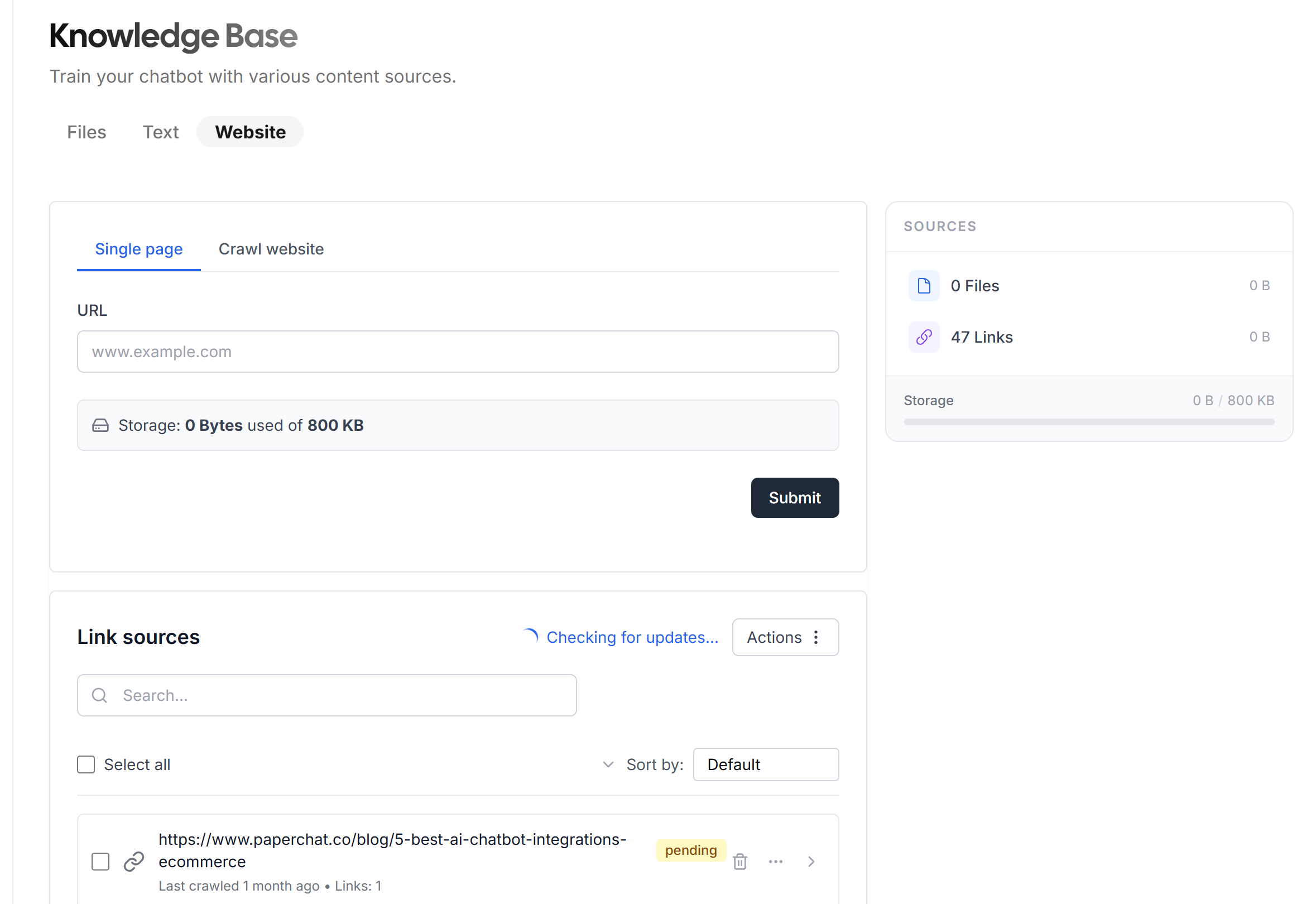
Crawl the published documentation. Point the crawler at your help center or docs site and scope it to the documentation path, not the whole domain, so marketing pages and legal boilerplate do not dilute the index. In Paperchat this is the Website option under Knowledge Base.
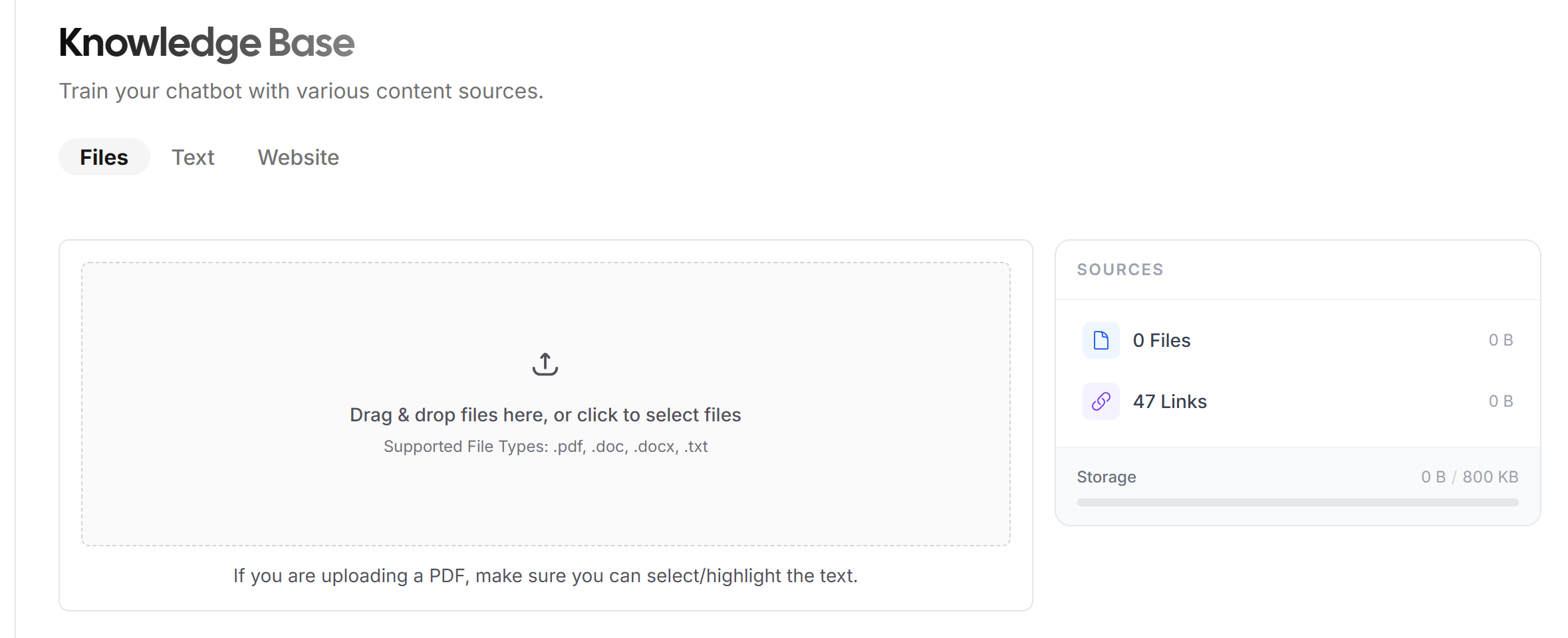
Upload the documents that were never published. Internal runbooks, plan comparison sheets, policy PDFs, the spreadsheet of shipping zones. These are often the most valuable material in the corpus precisely because they were never published, and the specifics of training a chatbot on PDFs, documents, and spreadsheets are worth reading before you bulk upload.
Paste the answers that have no home. The top-30 answers document from step 3, the facts that live only in a manager's head, the temporary notice about holiday shipping. The Text tab exists for exactly this, and it is the fastest way to close a gap you discover after launch.
One decision to make deliberately at this point: what the bot does with content it was not given. An FAQ chatbot should be instructed to answer from the knowledge base and to say plainly when the knowledge base does not cover something. Configure that in the behaviour settings before you configure anything else.
Step 5: Define the Edges
An FAQ chatbot is judged less on the questions it answers than on how it handles the ones it cannot. Three edges to set explicitly:
- Honest refusal. "I do not have information about that" preserves trust. An improvised answer destroys it, and, as several companies have discovered in public, the improvisation is legally your statement.
- Escalation. Frustration signals, billing disputes, and anything with legal or medical weight should reach a person. Setting up AI-to-human handover turns a dead end into a warm transfer with the transcript attached.
- Capture. Outside staffed hours, an unanswerable question should become a contact record rather than an abandoned session.
Step 6: Test Against the Question List
You already built the ideal test set in step 1. Run every question in the ranked list through the bot before launch and score the answers as correct, incomplete, or wrong. Wrong answers are the only category that matters at launch; incomplete answers are a content queue. This is the minimum bar, and a fuller pre-launch testing checklist covers retrieval testing, adversarial probing, and escalation verification, all of which belong in the same pass.
Step 7: Keep the Corpus and the Documentation in Sync
Documentation changes. Unless the bot changes with it, you have built a system that confidently quotes last quarter's policy. Set the crawl to re-run on a schedule matched to your publishing cadence, and treat every knowledge base document as owned by someone with a review date attached. Quarterly review is the floor, not the goal, and automatic content syncing removes most of the manual burden.
What to Measure After Launch
Four numbers, from week one:
- Coverage. Share of conversations answered without a refusal. Low coverage is a content problem, not a model problem.
- Unanswered questions. Every refusal is a documented gap, and collectively they form the most honest content roadmap your team will get.
- Repeat contact rate. Of the conversations the bot handled, how many came back within 48 hours with the same issue. This separates real resolution from a customer who gave up.
- Ticket volume trend. The number that justifies the project, driven by the same mechanisms described in how chatbots reduce ticket volume.
The Bottom Line
Building an FAQ chatbot from existing documentation is not a data migration, it is an edit. The platform work takes an afternoon. The work that determines whether the result is useful happens before ingestion: ranking the questions people actually ask, removing the contradictions and the stale facts, and rewriting passages so each one stands on its own without the document around it.
Teams that skip the edit get a bot that answers well when the question happens to match a well-formed paragraph and badly the rest of the time. Teams that do the edit find that the corpus improves the human-facing documentation as a side effect, because a passage that reads clearly in isolation reads clearly everywhere.
More Articles
How to Turn Your Help Center into a 24/7 AI Support Agent
Your help center already contains the answers. This guide shows how to convert it into a conversational AI agent, close the gap between deflection and real resolution, and measure whether it is working.
July 1, 2026
How to Improve Your AI Chatbot's Accuracy with Better Training Data
When a chatbot gives wrong answers the instinct is to blame the model. Research and production experience both point upstream. This guide covers diagnosis, deduplication, chunking, metadata, and the measurement loop that actually moves accuracy.
July 22, 2026
What Is RAG (Retrieval-Augmented Generation) and Why Your Chatbot Needs It
RAG is the technology that stops AI chatbots from making things up -- here is how it works and why it is the standard for accurate business chatbots.
April 12, 2026